WASAPI Loopback Spectrum Analyzer
Professional real-time spectrum analysis with built-in WASAPI loopback capture. Monitor any audio playing on your Windows PC without complex routing or virtual cables.
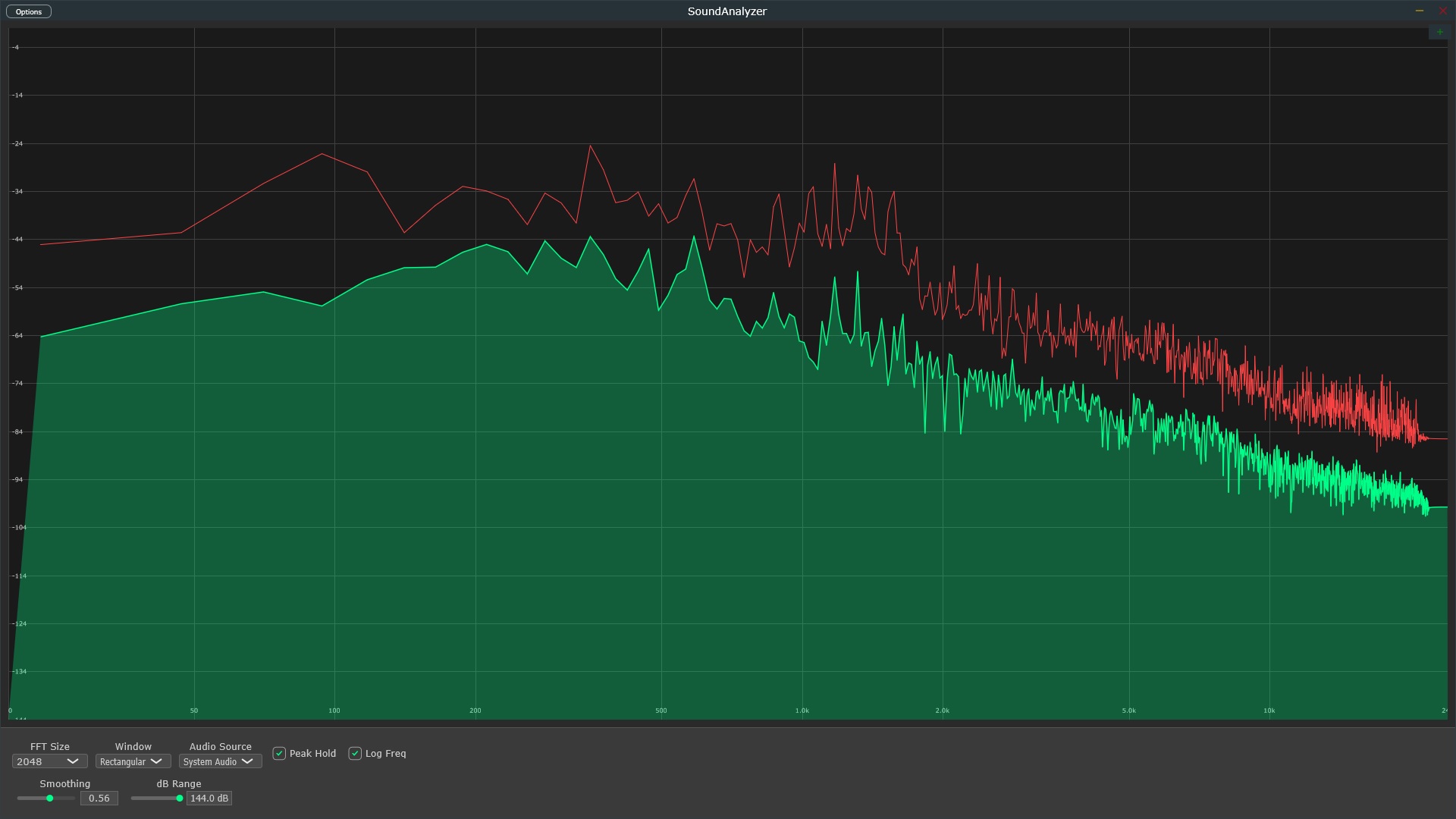
Professional real-time spectrum analysis with built-in WASAPI loopback capture. Monitor any audio playing on your Windows PC without complex routing or virtual cables.
WASAPI (Windows Audio Session API) loopback mode allows you to capture the exact audio being sent to your output device. No quality loss, no microphone feedback, no complex routing - just pure digital capture of what's playing on your PC.
Unlike microphone-based recording, WASAPI loopback captures the digital audio stream before it reaches your speakers. This means perfect fidelity analysis of streaming services, YouTube, games, DAW output, or any application audio.
Real-time FFT spectrum analysis with minimal latency. See frequency content instantly as audio plays - perfect for mixing, mastering, acoustic analysis, or educational purposes.
SoundAnalyzer automatically detects your Windows playback devices and enables WASAPI loopback capture. No manual configuration or driver installation required.
Captured audio is processed through high-performance FFT algorithms (1024-16384 points) to display precise frequency content. Choose your FFT size and windowing function for optimal analysis.
View your audio spectrum with customizable frequency scales (linear/logarithmic), amplitude ranges, and peak hold indicators. Export screenshots for documentation or comparison.
WASAPI (Windows Audio Session API) loopback is a Windows feature that allows applications to capture audio being played through your system's output devices. It enables you to record or analyze any sound playing on your PC - from streaming services, games, DAWs, or any other application - without complex audio routing.
WASAPI loopback spectrum analysis captures the audio stream from your system's playback device in real-time and performs FFT (Fast Fourier Transform) analysis to display the frequency content. SoundAnalyzer uses WASAPI loopback to directly monitor system audio without requiring virtual audio cables or complex routing setups.
WASAPI loopback provides bit-perfect digital audio capture directly from your system, avoiding the quality loss and noise introduced by analog recording or microphone capture. It's ideal for analyzing streaming audio, monitoring DAW output, testing audio software, or comparing different audio sources with perfect fidelity.
No! That's the beauty of WASAPI loopback - it's built directly into Windows. SoundAnalyzer has native WASAPI loopback support, so you don't need VB-Cable, Virtual Audio Cable, or any third-party routing software. Just select your playback device and start analyzing.
Yes! WASAPI loopback captures all audio playing through your system, including Spotify, YouTube, Apple Music, Netflix, or any other streaming service. Perfect for analyzing reference tracks or studying commercial productions.
Absolutely. You can monitor your DAW's output in real-time using WASAPI loopback. Use SoundAnalyzer standalone to analyze your DAW's master output, or use it as a VST3 plugin directly in your DAW for integrated workflow.
One-time payment - No subscription
30-Day Money Back Guarantee